
Read like a pro. Record like a pro. Everything in your browser.
Voice-controlled scrolling, webcam recording, and clean audio export — one tool that reads your script, captures your face, and saves your voice ready for editing.
No credit card required · 10 free minutes of voice + video · Ready in 30 seconds

Traditional teleprompters don't work.
No more retakes. Just smooth, natural recording.
Three steps. Zero hassle.
Paste your script
Type or paste your text. You're ready in seconds.
Start recording
Hit play, turn on your mic (and cam), and speak at your own pace.
Read naturally, keep eye contact
The text follows your voice. Just look at the camera and talk.
The only teleprompter that adapts to your voice, captures your face, and gives you a clean audio track — without making you switch apps.
Voice Assist listens to what you say in real time. An intelligent system matches your words to the written text and positions the scroll exactly where it needs to be.
It works even with a strong accent. It works even if you speak fast. It works even with background noise. And if you improvise or skip a section, it realigns within seconds.
Perfect for anyone who speaks on camera.
YouTubers and content creators
Record your videos without interruptions and without dozens of takes
Trainers and educators
Create smooth, professional video courses, lesson after lesson
Speakers and presenters
Deliver keynotes and presentations without ever losing your thread
Journalists and anchors
Read your scripts naturally while on camera
Podcasters
Follow your outline without losing your connection with the mic
Filmmakers with a pro camera
Use Voice Assist for the prompter + clean audio track. Record your video where you want, sync the audio in post.
Built for speed, simplicity, and control.
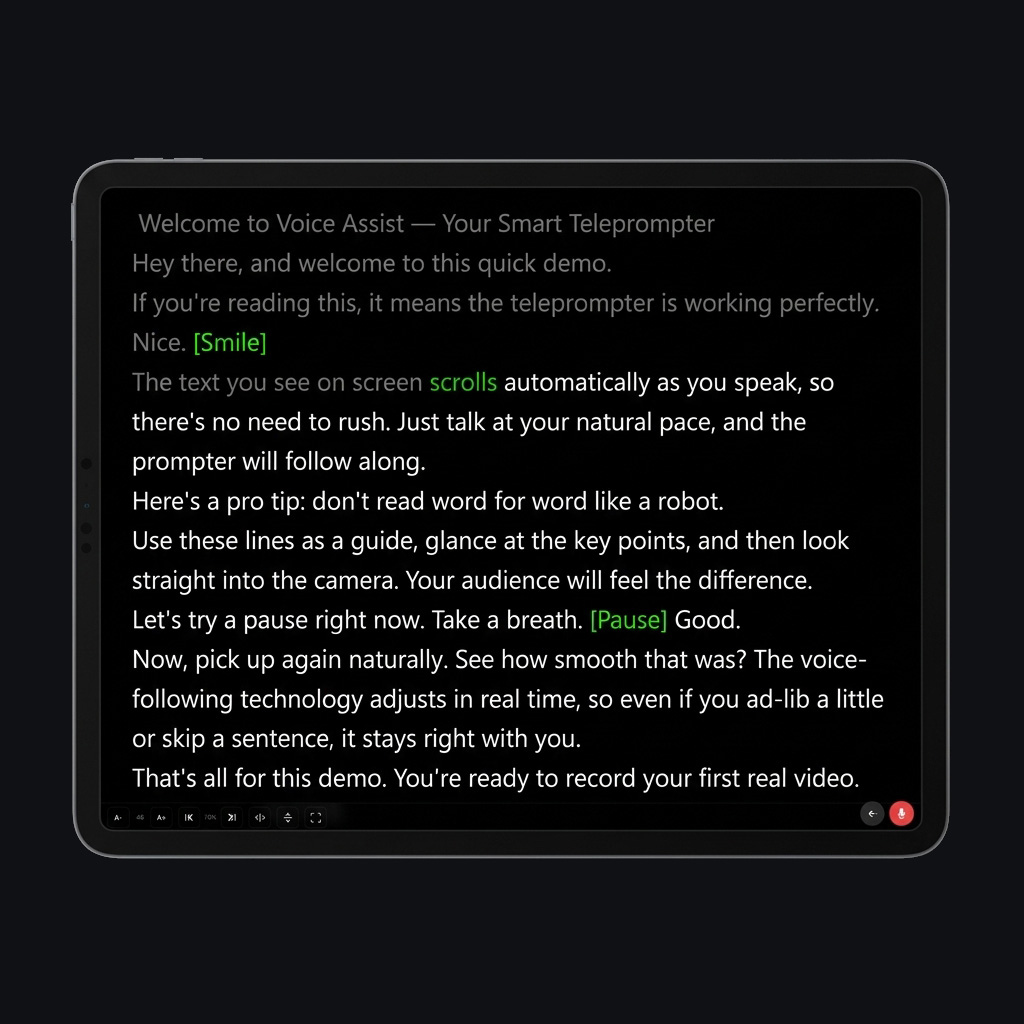
Smart voice scrolling
The text follows your voice in real time.
Works on any device
No app needed. Just open your browser.
Multi-device sync
Connect up to 3 devices as teleprompter and remote.
Webcam recording
Record yourself reading the script. File saved instantly when you stop.
Audio file export
Save the audio of every session as a separate file. Perfect when filming with an external camera.
Once you try it, there's no going back.
"Since I started using Voice Assist, I've cut my video recording time in half. I never lose my place and I sound much more natural."

"I use it for my video lessons. I feel confident and professional."
"Being able to improvise and knowing that Voice Assist follows you is a game changer."
No subscriptions. Pay only for what you use.
1 credit = 1 minute of voice scrolling or video recording. Auto-scroll, script management, standalone audio export and multi-device sync stay free forever.
Starter
Perfect for trying it out.
Standard
For regular recorders.
Pro
For weekly content producers.
Business
For teams and high-volume professionals.
Invite a friend. You both win.
Share your referral code with a colleague. When they sign up and make their first purchase, you both get a 20% bonus in extra credits. Simple.
Frequently asked questions
No. Voice Assist works right in your browser. Open the site and you're ready. If you want, you can install it as an app on your phone or computer, but it's not required.
Yes. The system is designed to work even with strong accents, fast speech, and background noise. If you skip a part of the text, it realigns within seconds. If you improvise, it waits for you, and when you start reading again, it picks right back up.
The teleprompter switches to fixed-speed auto-scrolling. You can keep using it for free. Voice scrolling reactivates when you purchase new credits.
No. Never. Use them whenever you want, no rush.
Yes. You can sync up to 3 devices in real time. One acts as the "leader" and the others follow.
10 languages: Italian, English, Spanish, French, German, Portuguese, Russian, Japanese, Korean, and Dutch.
Yes. Data is encrypted and sessions are secured. We don't do invasive tracking. Voice Assist is GDPR compliant.
Yes. Mirror mode flips the text horizontally and/or vertically to work with any teleprompter glass.
Yes. Open camera mode and record at 720p or 1080p. The file (MP4 on Safari, WebM elsewhere) downloads as soon as you stop. Nothing is uploaded to a server — the recording stays on your device.
Turn on "Save audio of every session" in your dashboard. Voice Assist will save a separate audio file you can drop straight into your editor as the cleanest possible voice track. It's free and works in every mode, including plain auto-scroll.
On your device, locally. On iPhone you can save the video straight to Photos via the native share sheet. Nothing leaves your browser.
Yes — 1 credit per minute, same as voice scrolling. The 10 free minutes you get on signup work for both. Audio export is always free.
Ready to speak without stress?
Try Voice Assist now. 10 minutes of voice scrolling included, free. No credit card. No subscription. Open your browser and start.
Start free now