
The teleprompter that listens to you and follows along.
Speak at your own pace. The text follows you in real time, word by word. No stress, no mistakes, no operators. Just you and your words.
No credit card required · Works in your browser · Ready in 30 seconds
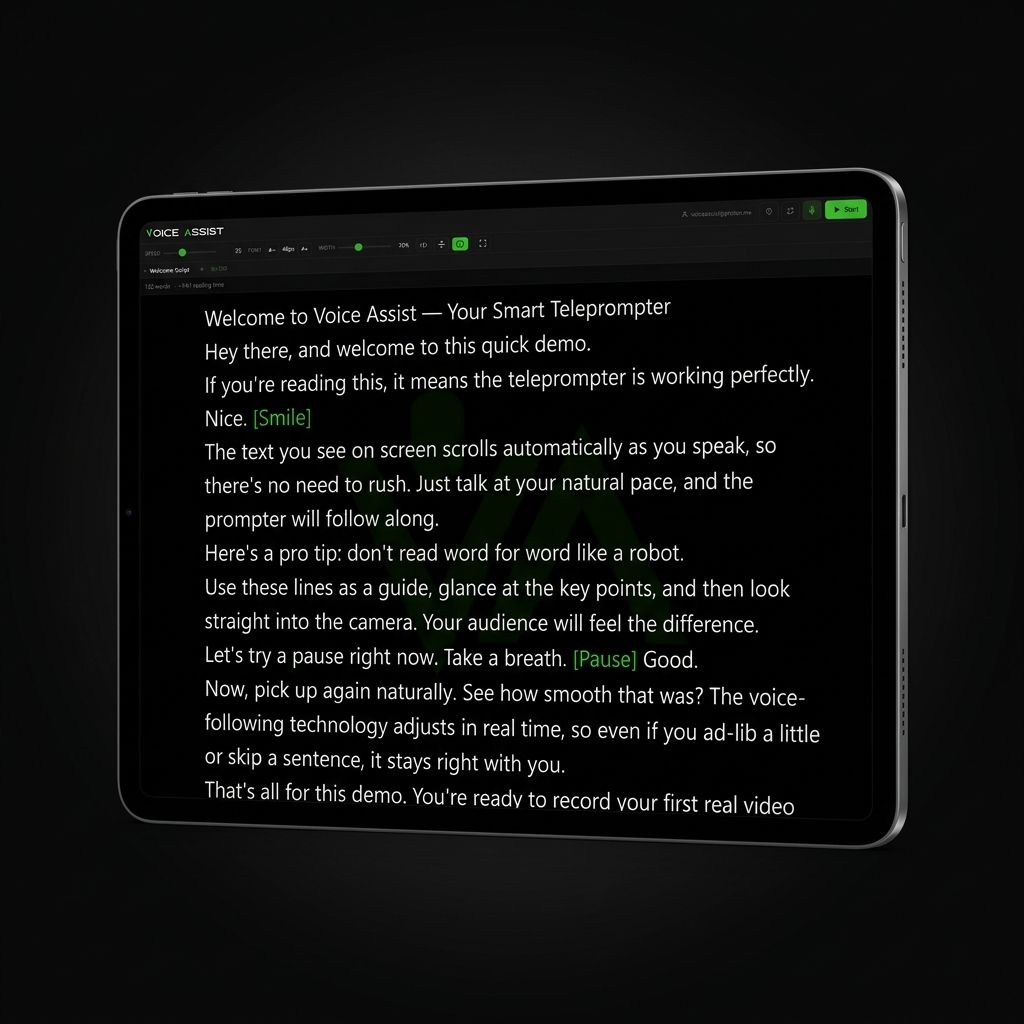
Traditional teleprompters have a huge problem.
You speak. The text scrolls. But they never go at the same speed.
You pause for emphasis — the text is already three lines ahead. You speed up on an easy passage — the text falls behind. The result? You lose your place. You freeze. You redo the take. Again and again.
With a traditional teleprompter you have two choices: read like a robot at the text's speed, or have an operator adjust the scrolling for you.
Voice Assist eliminates the problem. For good.
Three steps. Zero hassle.
Write your text
Open Voice Assist and type your script. Or paste it in. You'll instantly see the word count and estimated reading time.
Press Play and start speaking
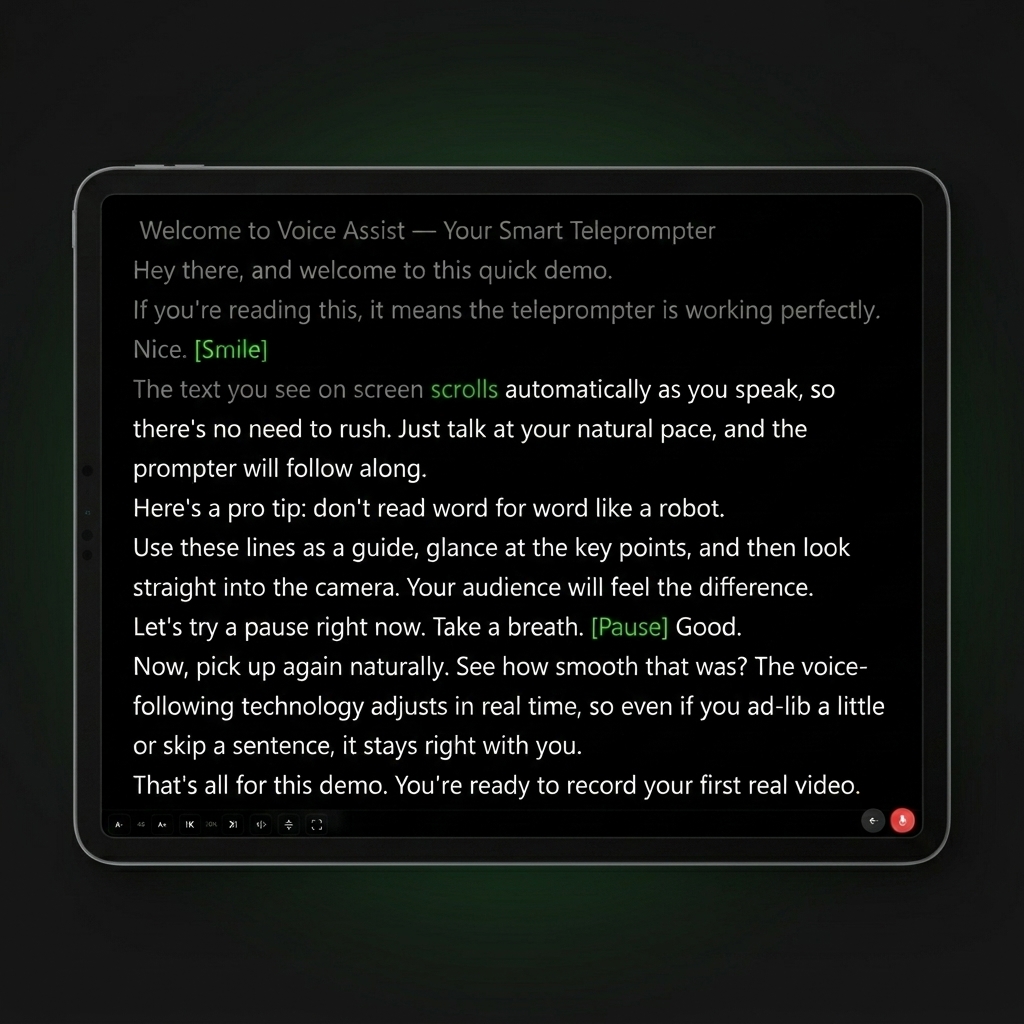
Your text appears large and clear on a black background. Turn on your mic and speak. The text follows your voice. If you stop, it stops. If you speed up, it speeds up. If you skip a sentence, it realigns automatically.
Look at the camera and be natural
No more worrying about speed. No more searching for your place. Look straight at the camera and speak as if you're talking to someone. The text is always right where it should be.
The only teleprompter that follows your voice. Not the other way around.
Voice Assist listens to what you say in real time. An intelligent system matches your words to the written text and positions the scroll exactly where it needs to be.
It works even with a strong accent. It works even if you speak fast. It works even with background noise. And if you improvise or skip a section, it realigns within seconds.
Perfect for anyone who speaks on camera.
YouTubers and content creators
Record your videos without interruptions and without dozens of takes
Trainers and educators
Create smooth, professional video courses, lesson after lesson
Speakers and presenters
Deliver keynotes and presentations without ever losing your thread
Journalists and anchors
Read your scripts naturally while on camera
Podcasters
Follow your outline without losing your connection with the mic
Businesses
Internal video messages, announcements, town halls: always clear, always professional
Everything you need. Nothing you don't.

Smart voice scrolling
The text follows your voice in real time. This is the feature that changes everything.
Works on any device
Computer, tablet, phone. No app to download. Open your browser and you're ready.
Multi-device sync
Use your tablet as a teleprompter and your phone as a remote. Up to 3 devices connected simultaneously.
50 scripts always with you
Write, organize, and manage up to 50 scripts. Saved in the cloud, accessible anywhere.
Mirror mode
Using a teleprompter glass in front of your camera? The text flips. Press a button and it works.
Stage directions
Write [PAUSE] or [LOOK AT CAMERA]. They appear as color-coded reminders but don't interfere with voice reading.
Voice commands
Start, stop, and restart the teleprompter with your voice. Without touching anything.
10 languages
Interface and voice recognition in IT, EN, ES, FR, DE, PT, RU, JA, KO, NL.
Works offline too
Write and manage your scripts offline. Auto-scrolling works without internet.
Works on every platform
Voice Assist works on PC, Mac, Linux, Chromebook, tablet, and smartphone. Anywhere there's a browser.
Once you try it, there's no going back.
"Since I started using Voice Assist, I've cut my video recording time in half. I never lose my place and I sound much more natural."

"I use it for my video lessons. I feel confident and professional."
"Being able to improvise and knowing that Voice Assist follows you is a game changer."
No subscriptions. Pay only for what you use.
Buy minutes once. They never expire. Use them whenever you want.
Starter
Perfect for trying it out.
Standard
For regular recorders.
Pro
For weekly content producers.
Business
For teams and high-volume professionals.
Invite a friend. You both win.
Share your referral code with a colleague. When they sign up and make their first purchase, you both get a 20% bonus in extra credits. Simple.
Frequently asked questions
No. Voice Assist works right in your browser. Open the site and you're ready. If you want, you can install it as an app on your phone or computer, but it's not required.
Yes. The system is designed to work even with strong accents, fast speech, and background noise. If you skip a part of the text, it realigns within seconds. If you improvise, it waits for you, and when you start reading again, it picks right back up.
The teleprompter switches to fixed-speed auto-scrolling. You can keep using it for free. Voice scrolling reactivates when you purchase new credits.
No. Never. Use them whenever you want, no rush.
Yes. You can sync up to 3 devices in real time. One acts as the "leader" and the others follow.
10 languages: Italian, English, Spanish, French, German, Portuguese, Russian, Japanese, Korean, and Dutch.
Yes. Data is encrypted and sessions are secured. We don't do invasive tracking. Voice Assist is GDPR compliant.
Yes. Mirror mode flips the text horizontally and/or vertically to work with any teleprompter glass.
Ready to speak without stress?
Try Voice Assist now. 5 minutes of voice scrolling included, free. No credit card. No subscription. Open your browser and start.
Start free now